
Anthropic just launched Claude Cowork on January 12, 2026, and it changes how non-developers can work with AI agents. Now you can humanize AI-generated text without ever leaving Claude Desktop.
What is Claude Cowork?
Claude Cowork is Anthropic's new feature that brings Claude Code capabilities to everyone, not just developers. Think of it as "Claude Code for the rest of your work."
Key highlights:
- File access: Claude can read, edit, and create files in folders you authorize
- Website navigation: Browse the web with Claude's Chrome extension
- MCP tool integration: Connect external tools like Refineo via the Connectors framework
- No coding required: Natural language commands, agent-style execution
Currently available for Claude Max subscribers on macOS, with Windows support coming soon.
Why Connect Refineo to Claude Desktop?
Without Refineo integration, humanizing AI text means:
- Generate content in Claude
- Copy to clipboard
- Open Refineo in browser
- Paste, humanize, copy result
- Paste back into your document
With Refineo connected via MCP:
- Generate content in Claude
- Ask Claude to humanize it
- Done
Two Tools at Your Fingertips
Once connected, you get access to:
| Tool | Purpose |
|---|---|
humanize_text | Transform AI text into natural human writing |
get_usage | Check your remaining monthly quota |
Who Benefits Most
- Content creators writing blog posts, articles, newsletters
- Marketers crafting copy that needs to sound authentic
- Researchers preparing papers and reports
- Anyone who uses Claude for writing and wants polished output
Prerequisites
Before setting up the integration:
- Refineo subscription: Pro or Ultra plan required for MCP access
- Claude Desktop: Installed on macOS
- For Cowork features: Claude Max subscription
Don't have a Refineo account yet? Sign up here to get started.
Method 1: Native OAuth Integration (Recommended)
The easiest way to connect Refineo. No API keys or config files needed.
Step-by-Step Setup
- Open Claude Desktop
- Go to Settings → Connectors
- Click "Add custom connector"
- Enter the URL:
https://www.refineo.app/mcp/mcp - Name it "Refineo"
- Click Add, then sign in with your Refineo account
- Authorize the connection
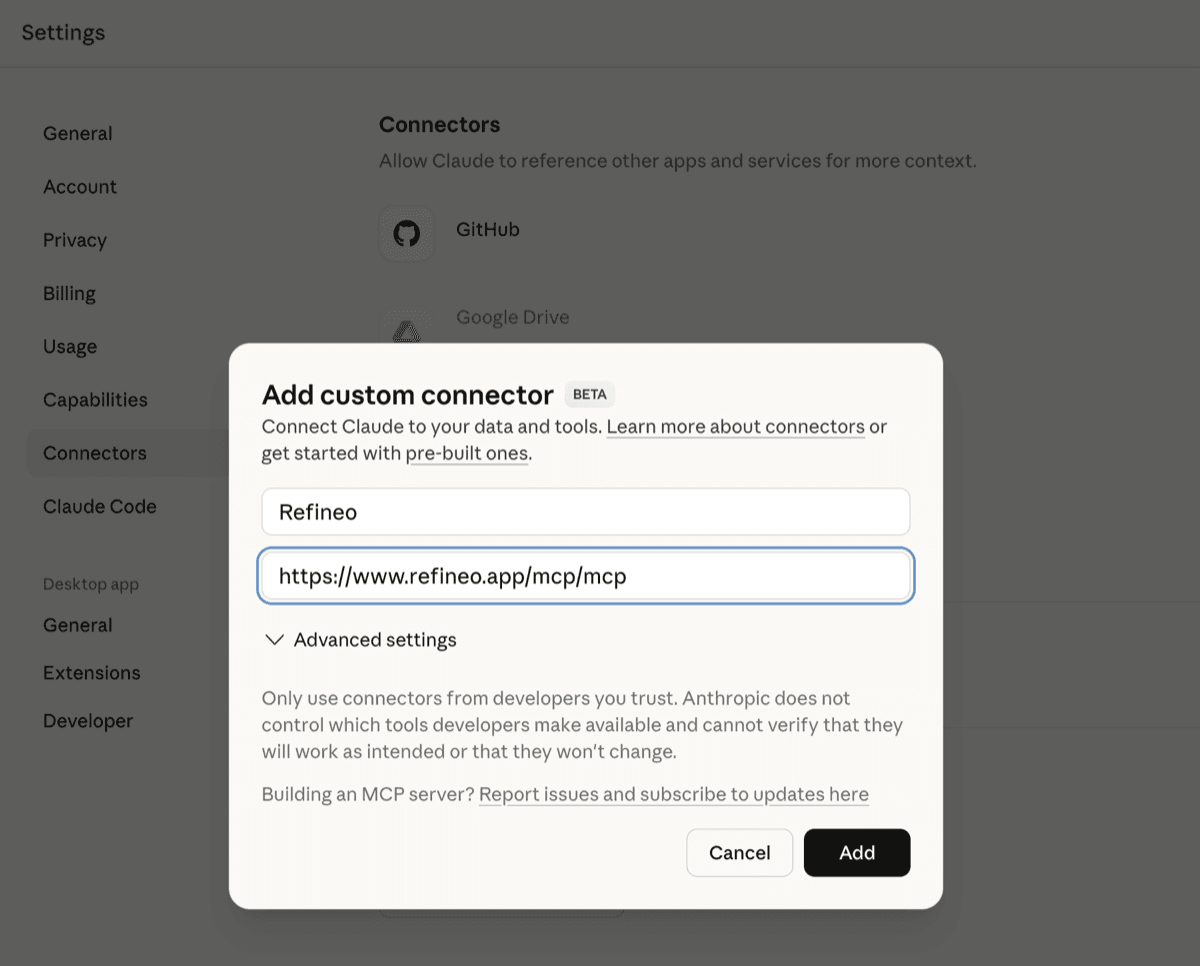
That's it. Claude now has access to Refineo's humanization tools.
Method 2: Using mcp-remote with API Key
Prefer API key authentication? This method works well for:
- Managing multiple environments
- CI/CD pipelines
- Programmatic access control
Configuration Steps
- Generate an API key in your Refineo dashboard
- Find your Claude Desktop config file:
- macOS:
~/Library/Application Support/Claude/claude_desktop_config.json - Windows:
%APPDATA%\Claude\claude_desktop_config.json
- macOS:
- Add the following configuration:
{
  "mcpServers": {
    "refineo": {
      "command": "npx",
      "args": [
        "mcp-remote",
        "https://www.refineo.app/mcp/mcp",
        "--header",
        "X-API-Key:YOUR_API_KEY_HERE"
      ]
    }
  }
}
- Replace
YOUR_API_KEY_HEREwith your actual API key - Restart Claude Desktop
Note: This method requires Node.js installed on your system.
Method 3: Claude Code CLI
For developers using Claude Code, you can add Refineo with a single command:
claude mcp add-json refineo '{"type":"http","url":"https://www.refineo.app/mcp/mcp","headers":{"X-API-Key":"YOUR_API_KEY"}}'
See the full CLI documentation for more options, or read our refineo-cli introduction for details on terminal usage and automation.
Bonus: n8n Workflow Integration
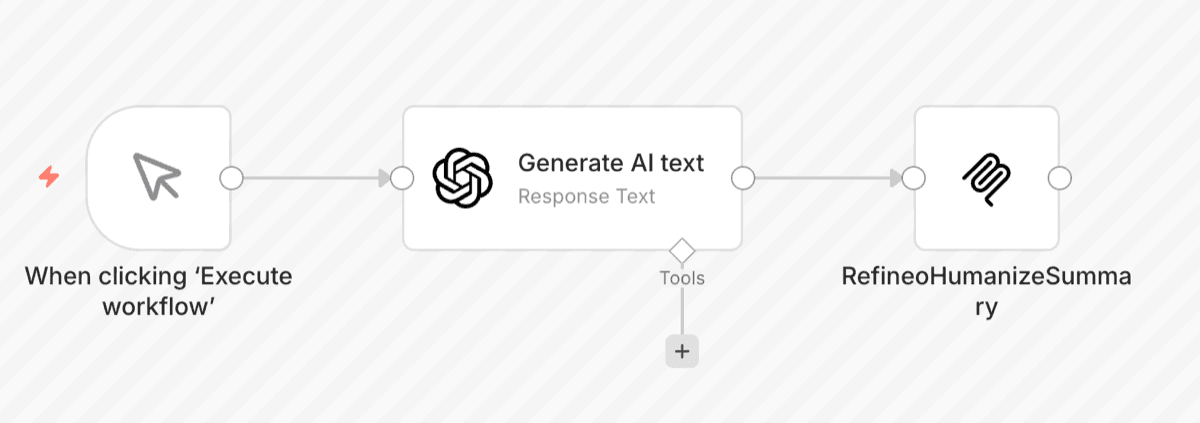
Refineo also integrates with n8n for automated content pipelines. You can build workflows that:
- Generate content with AI
- Automatically humanize it through Refineo
- Publish to your CMS or email platform
Check out this example n8n workflow to get started.
Using Refineo Tools in Claude
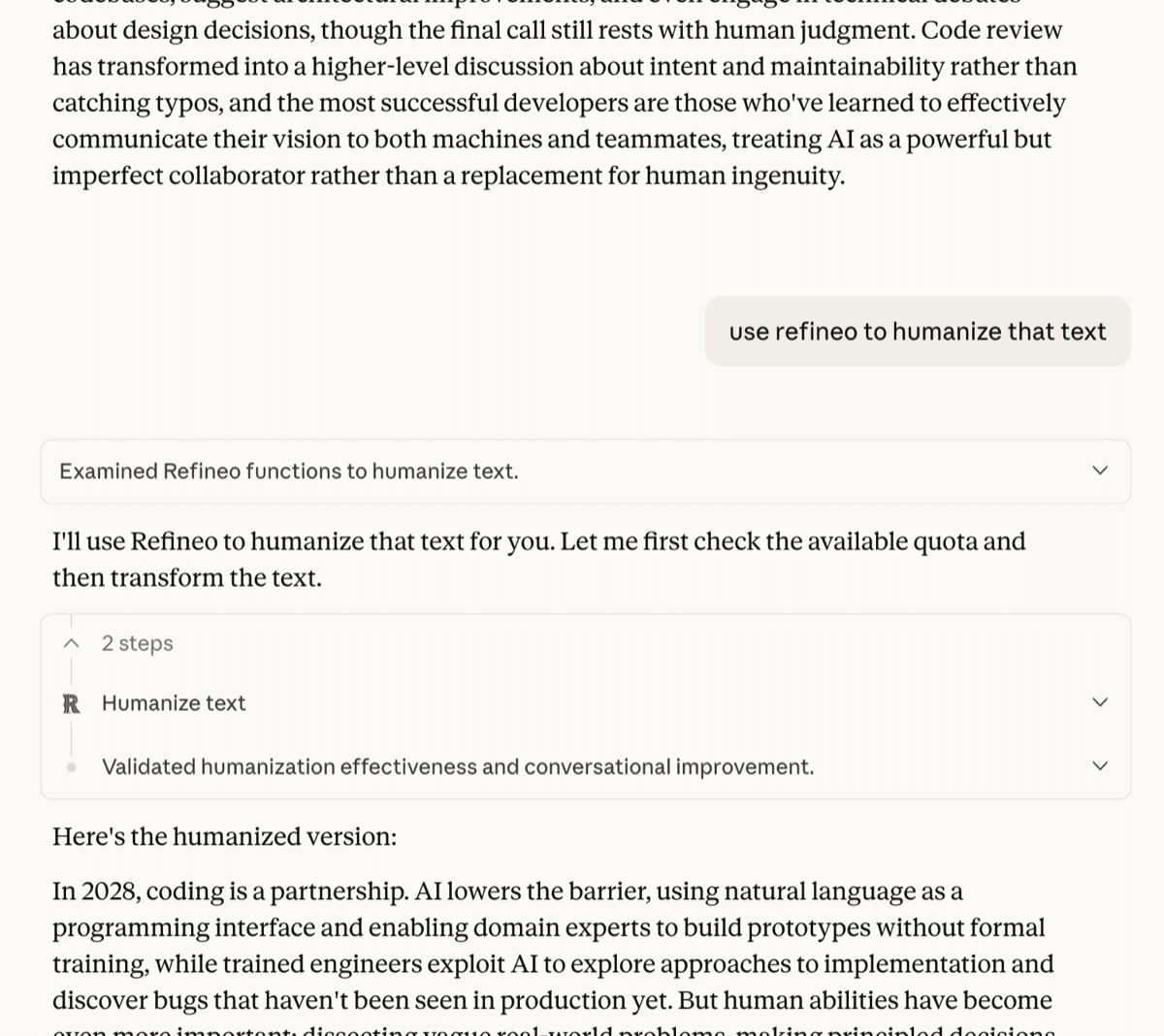
Once connected, using Refineo is as simple as asking Claude.
Example Prompts
Basic humanization:
"Please humanize this text: [paste your AI-generated content]"
With model selection:
"Humanize this paragraph using the enhanced model for best quality: [your text]"
Check usage first:
"How many Refineo requests do I have left this month?"
Before and After
Here's what humanization looks like in practice:
| Before (AI-generated) | After (Humanized) |
|---|---|
| "It is important to note that effective communication is a critical component of successful business operations." | "Good communication makes or breaks a business. It's that simple." |
| "In conclusion, the implementation of these strategies will yield significant improvements." | "Put these strategies to work and you'll see real results." |
Model Options
- Standard: Faster processing, good for quick edits
- Enhanced: Best quality, recommended for final content
Troubleshooting
| Issue | Solution |
|---|---|
| Connection failed | Verify you have a Pro or Ultra subscription |
| Tool not appearing | Restart Claude Desktop after adding connector |
| "Authentication required" error | Re-authorize in Settings → Connectors |
| Rate limited | Check usage with get_usage tool |
| mcp-remote not found | Install Node.js and try again |
FAQs
Does this work with free Refineo accounts?
No. MCP integration requires a Pro or Ultra subscription. The free tier is limited to the web interface.
Can I use Refineo with other MCP clients?
Yes! Refineo works with any MCP-compatible tool including:
- Cursor IDE
- Other MCP clients
- Custom integrations via the CLI
How many requests do I get per month?
- Pro: 200 requests/month, up to 1,200 words each
- Ultra: Unlimited requests, up to 3,000 words each
Use the get_usage tool to check your remaining quota anytime.
Is my data secure?
Your text is processed and immediately discarded. We don't store your content permanently or use it for training. See our privacy policy for details.
Get Started
With Refineo connected to Claude Desktop, transform AI-generated drafts into polished, human-sounding prose in seconds, directly from your conversation.
Ready to try it?
- Sign up for Refineo Pro or Ultra
- Connect via Claude Desktop Settings → Connectors
- Start humanizing directly in Claude
Questions? Check out our complete humanization guide or reach out to support.